Installer
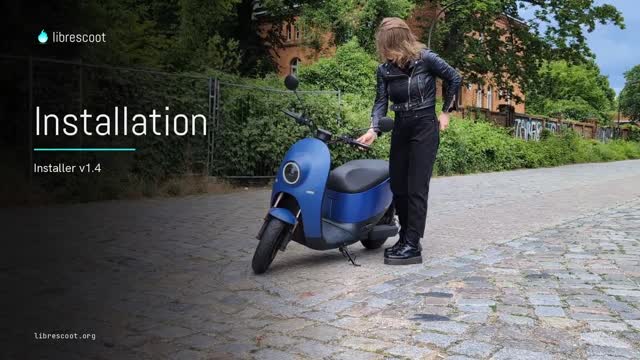 Installation als Video-GuideVideo ansehen ↗
Der Installer installiert Librescoot neu oder aktualisiert ein bestehendes System. Er lädt Firmware und Kartendaten, bereitet MDB und DBC vor und führt dich durch die Installation. Anschließend bringt der Roller den Vorgang selbst zu Ende. Du brauchst ein USB-Kabel, einen Schraubendreher und etwa zwanzig Minuten Zeit.
Änderungen am Roller erfolgen auf eigenes Risiko. Trotz ausführlicher Tests sind Fehler möglich; Librescoot übernimmt keine Garantie oder Haftung. Arbeite sorgfältig und plane genug Zeit ein. Der Installer geht vorsichtig vor und kann die meisten Fehler abfangen oder beheben. Im schlimmsten Fall bleibt der Roller ohne tieferen Eingriff unbenutzbar. Brauchst du Hilfe? Melde dich im Discord.
Der Windows-Build ist noch nicht signiert. Bei einer SmartScreen-Meldung auf Weitere Informationen und dann auf Trotzdem ausführen klicken.
Firmware-Updates
Seit Librescoot 1.2 kannst du Updates einfach mit der stasis for unu-App einspielen (Android / iOS). Für Updates von älteren Systemen oder Wechsel des Release-Kanals können die folgenden Firmware-Dateien z. B. mit dem Updatemodus genutzt werden. Der Librescoot-Installer unterstützt ebenfalls die Installation von Updates, eure Daten bleiben dabei erhalten.
Stable Empfohlen
Für die meisten die richtige Wahl. Stabil, vollständig und für den täglichen Einsatz getestet.
Testing
Vorschau auf das nächste Release. Meist stabil, kann aber noch Fehler enthalten oder unvollständig sein.
Nightly
Nur für Entwickler*innen. Keine Garantien – Fehler können deinen Roller unbrauchbar machen.
Karten- & Routing-Daten
Wähle deine Region für Offline-Karten und Routingdaten. Jede umfasst etwa 20 km Umland. Für eine manuelle Installation kopierst du beide Dateien per USB im Update-Modus auf den Roller; es kann nur eine Region installiert sein. Anleitung zur Offline-Navigation.
Länder
Regionen
Keine Region gefunden.
Dateien
Region wählen, um Downloads anzuzeigen